Task 03 - Test with HTTP file
Introduction
In this task, you will test the MCP server endpoints using an .http file and the REST Client extension in VS Code. This approach works in both local environments and GitHub Codespaces and is a quick way to verify that the MCP server is responding correctly.
Description
The project includes a test/test.http file that contains pre-built HTTP requests for all MCP endpoints. You will use these requests to initialize an MCP session, list available tools, and call the get_cities and get_weather tools.
Success Criteria
- You can successfully send MCP requests using the
.httpfile. - The MCP server responds correctly to
initialize,tools/list, andtools/callrequests.
Learning Resources
Key Tasks
01: Install the REST Client extension
You need the REST Client extension in VS Code to send HTTP requests directly from .http files.
Expand this section to view the solution
- Open the Extensions view in VS Code (Ctrl+Shift+X).
- Search for REST Client.
- Install the extension by Huachao Mao (identifier:
humao.rest-client).
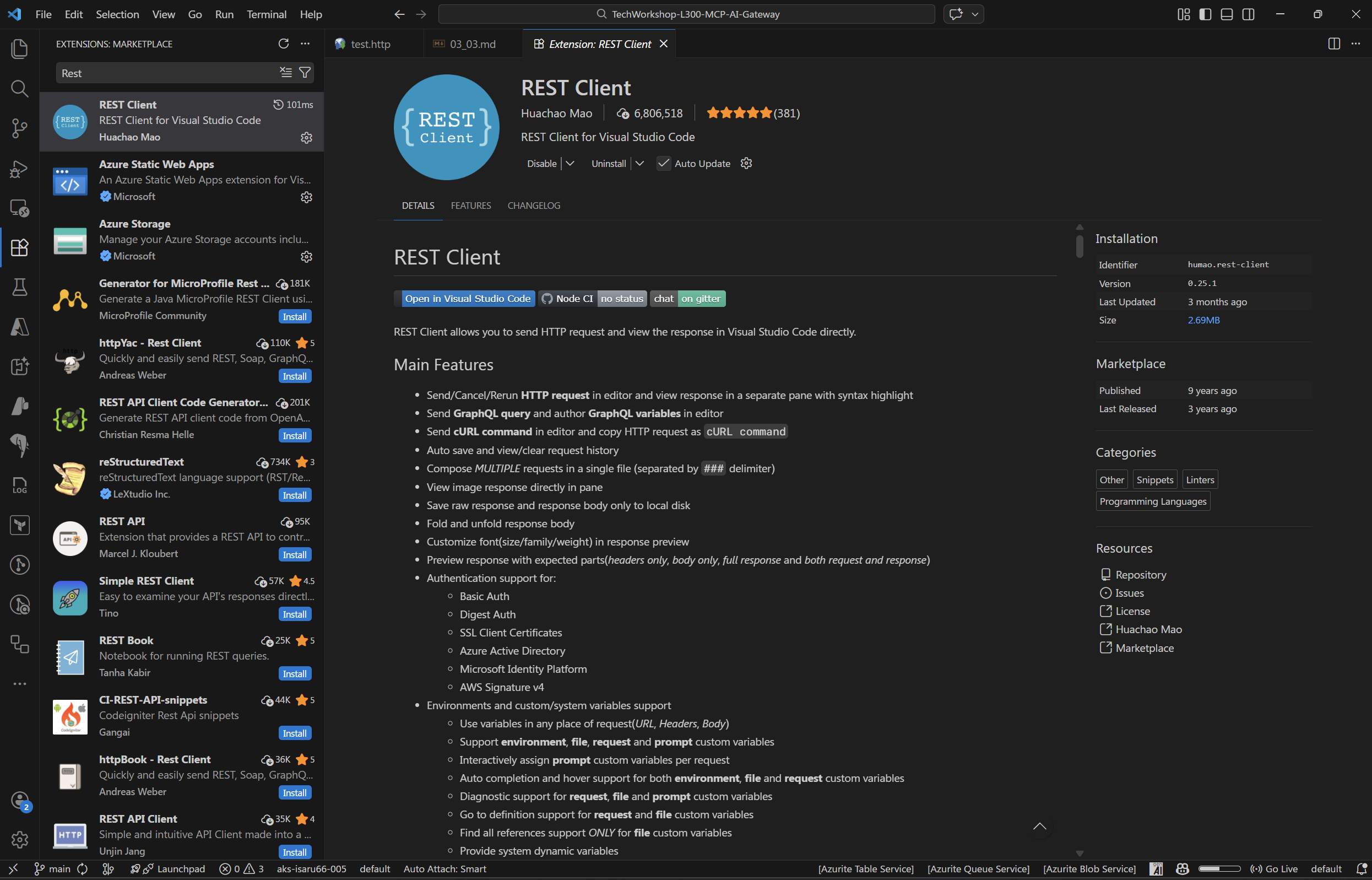
If you are using a GitHub Codespace, the REST Client extension may already be pre-installed.
02: Open the test file
Open the .http test file included in the project.
Expand this section to view the solution
- Make sure your MCP server is still running` from Task 01. see Ex3 - Task 1 for setup instructions.
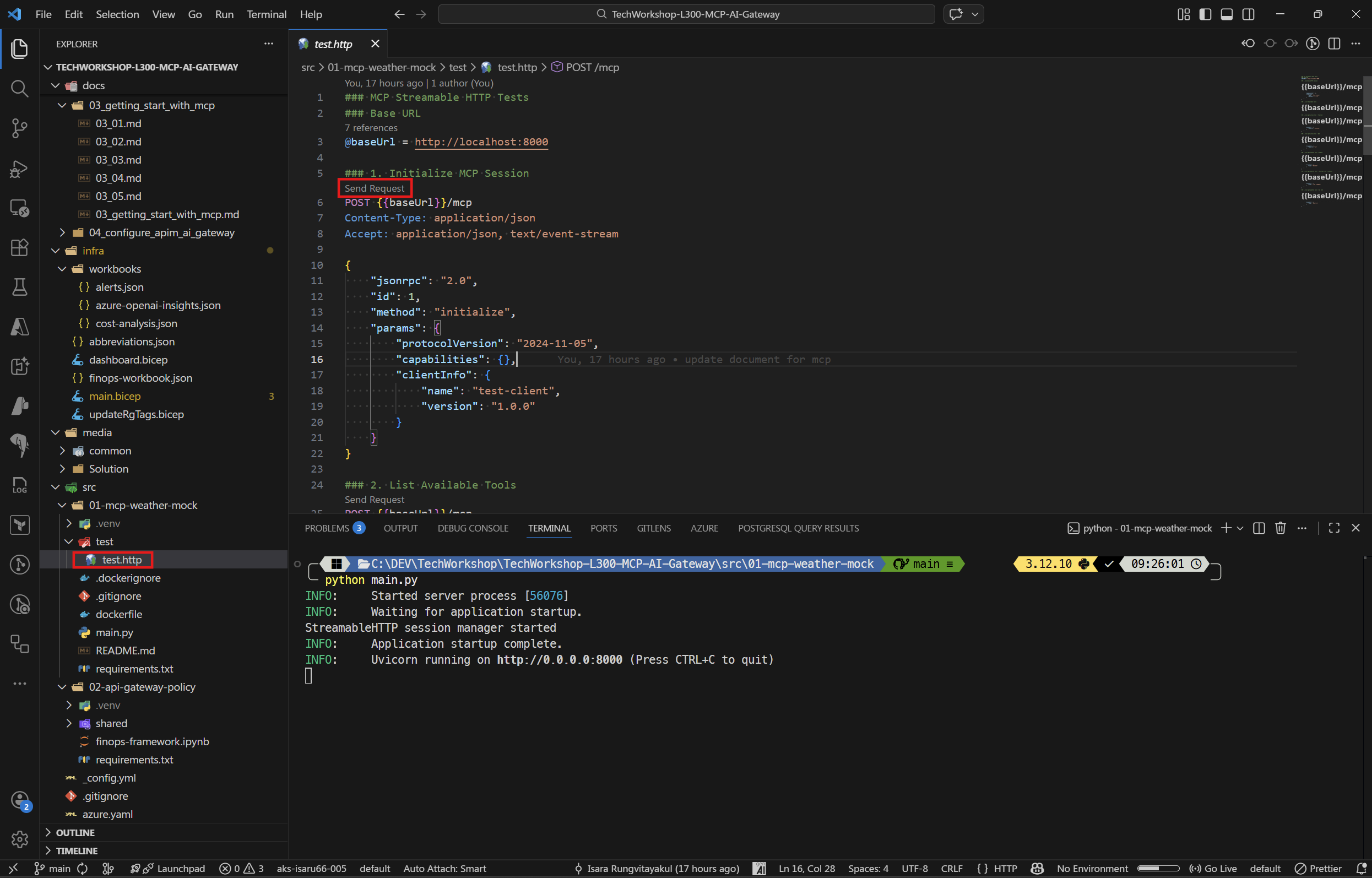
- In VS Code, open the file
src/01-mcp-weather-mock/test/test.http.
You will see multiple HTTP requests separated by ###. Each request has a Send Request link above it that you can click to execute.
03: Initialize the MCP session
The first step in any MCP communication is to initialize the session.
Expand this section to view the solution
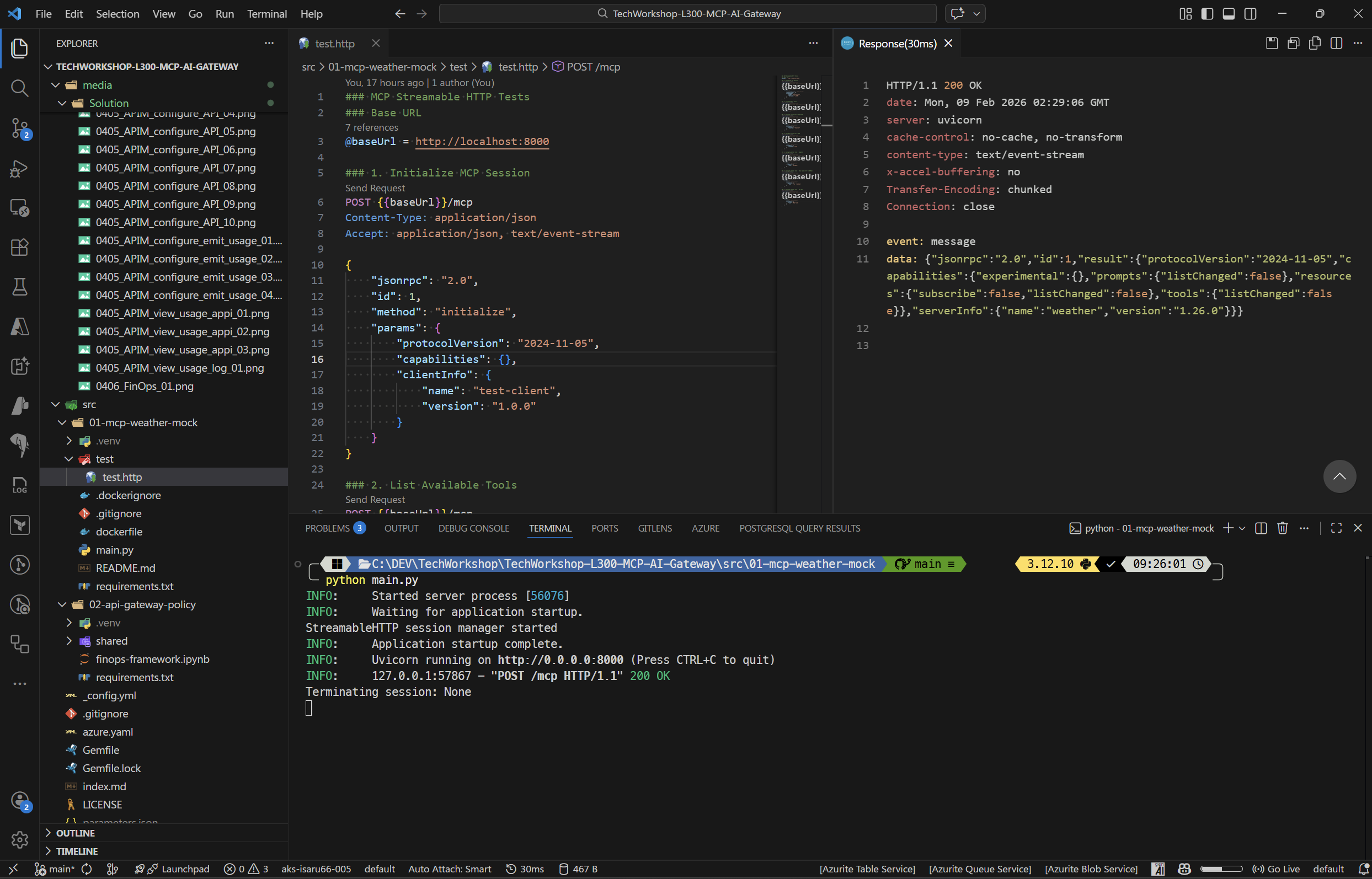
Click Send Request above the ### 1. Initialize MCP Session section. The request body is:
{
    "jsonrpc": "2.0",
    "id": 1,
    "method": "initialize",
    "params": {
        "protocolVersion": "2024-11-05",
        "capabilities": {},
        "clientInfo": {
            "name": "test-client",
            "version": "1.0.0"
        }
    }
}
You should receive a response containing the server’s capabilities and protocol version.
04: List available tools
Discover what tools the MCP server exposes.
Expand this section to view the solution
Click Send Request above the ### 2. List Available Tools section. The request calls tools/list:
{
    "jsonrpc": "2.0",
    "id": 2,
    "method": "tools/list",
    "params": {}
}
The response will list two tools:
- get_cities — Get list of cities for a given country.
- get_weather — Get weather information for a given city.
05: Call the MCP tools
Test calling the tools to get cities and weather data.
Expand this section to view the solution
Call get_cities for Thailand:
Click Send Request above the ### 3. Call get_cities tool - Thailand section:
{
    "jsonrpc": "2.0",
    "id": 3,
    "method": "tools/call",
    "params": {
        "name": "get_cities",
        "arguments": {
            "country": "thailand"
        }
    }
}
You should receive a response with a list of Thai cities.
Call get_weather for Bangkok:
Click Send Request above the ### 5. Call get_weather tool - Bangkok section:
{
    "jsonrpc": "2.0",
    "id": 5,
    "method": "tools/call",
    "params": {
        "name": "get_weather",
        "arguments": {
            "city": "Bangkok"
        }
    }
}
You should receive a response with mock weather data for Bangkok. 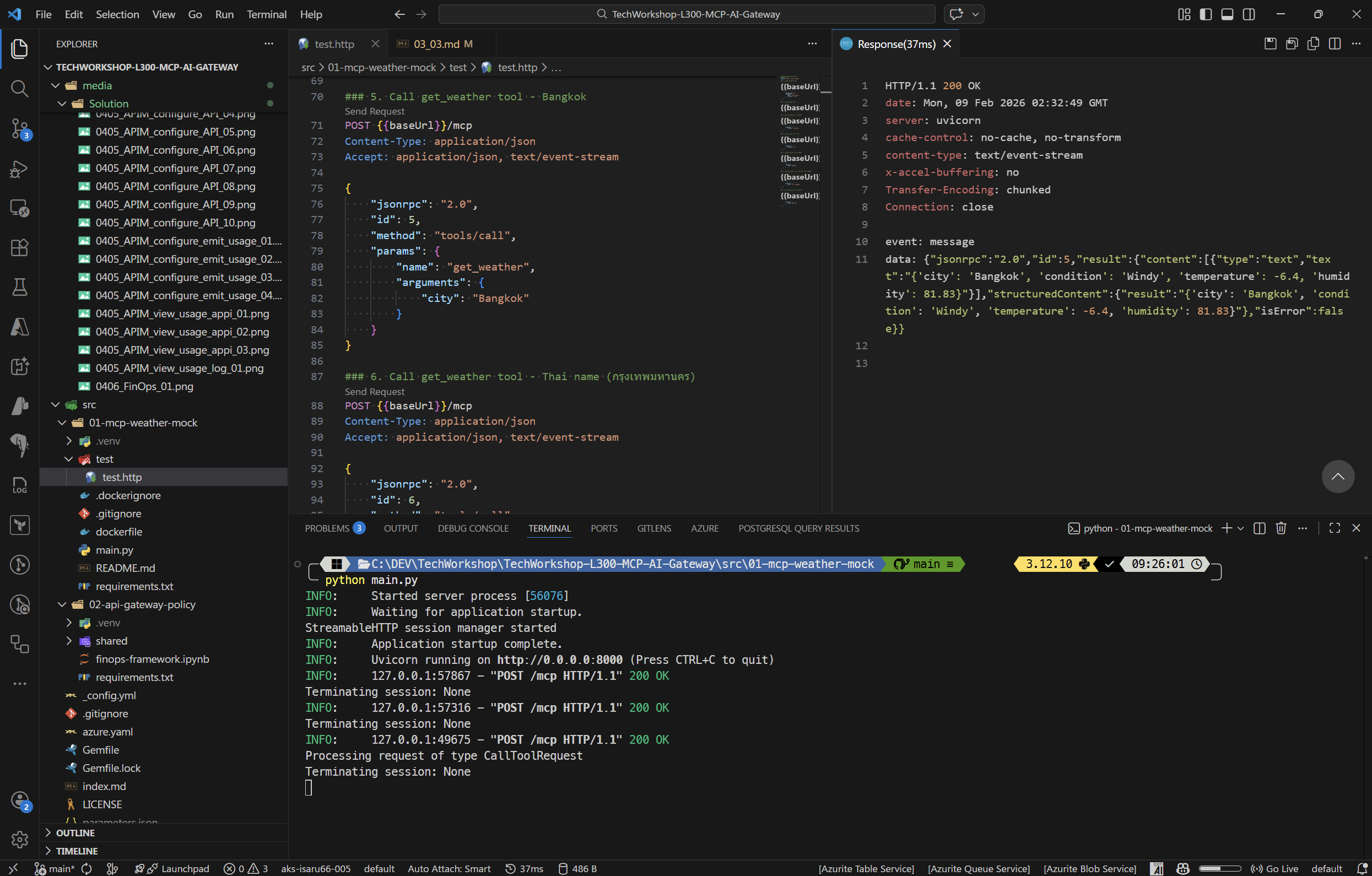
Try the other requests in the file as well — you can test cities for the USA, weather for New York, and even Thai-language city names like
กรุงเทพมหานคร.