Task 01 - Fork and clone the repository
Introduction
Before setting up your development environment, you need to fork the workshop repository to your own GitHub account and clone it to your local machine. Forking the repository allows you to make changes and use GitHub Actions workflows in later exercises.
Description
In this task, you will fork the workshop repository to your personal GitHub account and clone it to your local machine. If you choose to use a GitHub Codespace instead, you will also create the Codespace in this step.
Success Criteria
- You have forked the repository to your personal GitHub account.
- You have cloned the forked repository to your local machine, or created a GitHub Codespace.
Learning Resources
- Cloning a repository via the command line or GitHub Desktop
- GitHub Codespaces overview
Key Tasks
01: Clone the repository or create a Codespace
You have two options for setting up your environment:
Option 1: Clone to your local machine
Clone the repository to your local machine using the command line or GitHub Desktop. This option requires you to install software locally (covered in the next task).
Expand this section to view the solution
Go to your folder that use for keeping Software development work. For example C:\DEV. Right click, then “Open in Terminal”
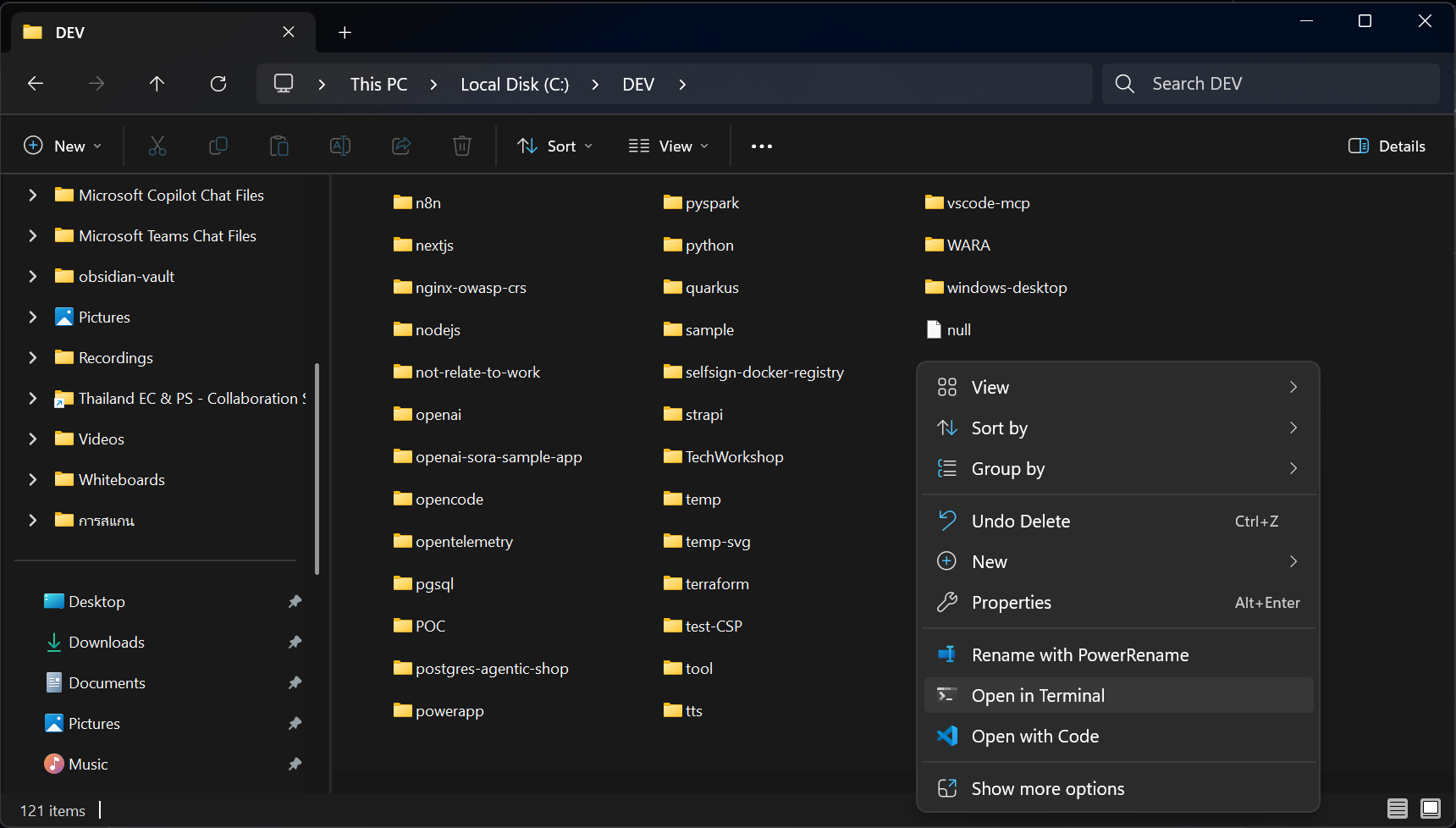
Once terminal open.
You can clone the repository using the following command:
git clone https://github.com/isaru66/TechWorkshop-L300-MCP-AI-Gateway.git
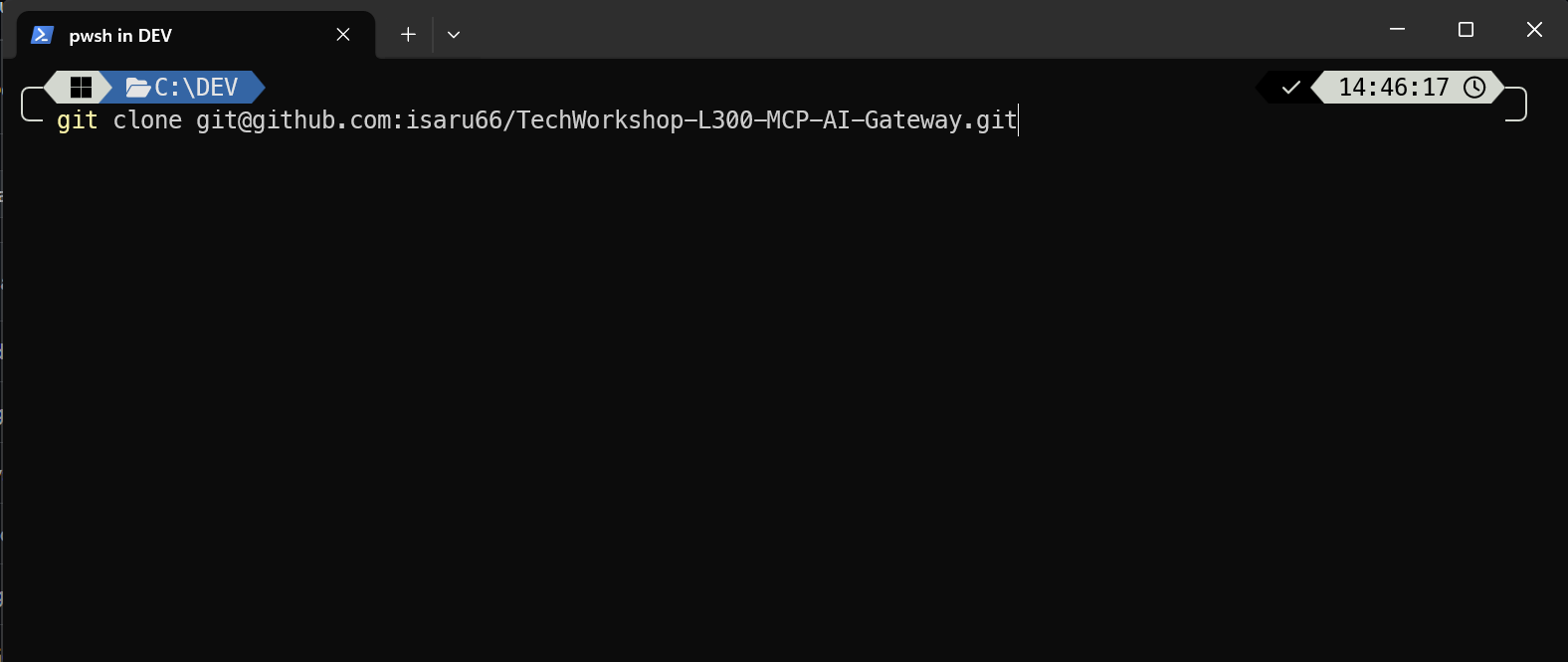
Then Open this folder in Visual Studio Code
cd TechWorkshop-L300-MCP-AI-Gateway
code .
Option 2: Use a GitHub Codespace
If you prefer not to install software locally, you can use a GitHub Codespace. The repository includes a .devcontainer/devcontainer.json file that pre-configures the Codespace with all the necessary tools.
Note: In order to use GitHub Codespace, you must sign in with your personal GitHub account. If you don’t have a GitHub account, create one first at github.com.
Expand this section to view the solution
- Sign in to your personal GitHub account at github.com.
- Open Repository https://github.com/isaru66/TechWorkshop-L300-MCP-AI-Gateway.
- Select the Code button.
- Select the Codespaces tab and choose Create codespace on main.
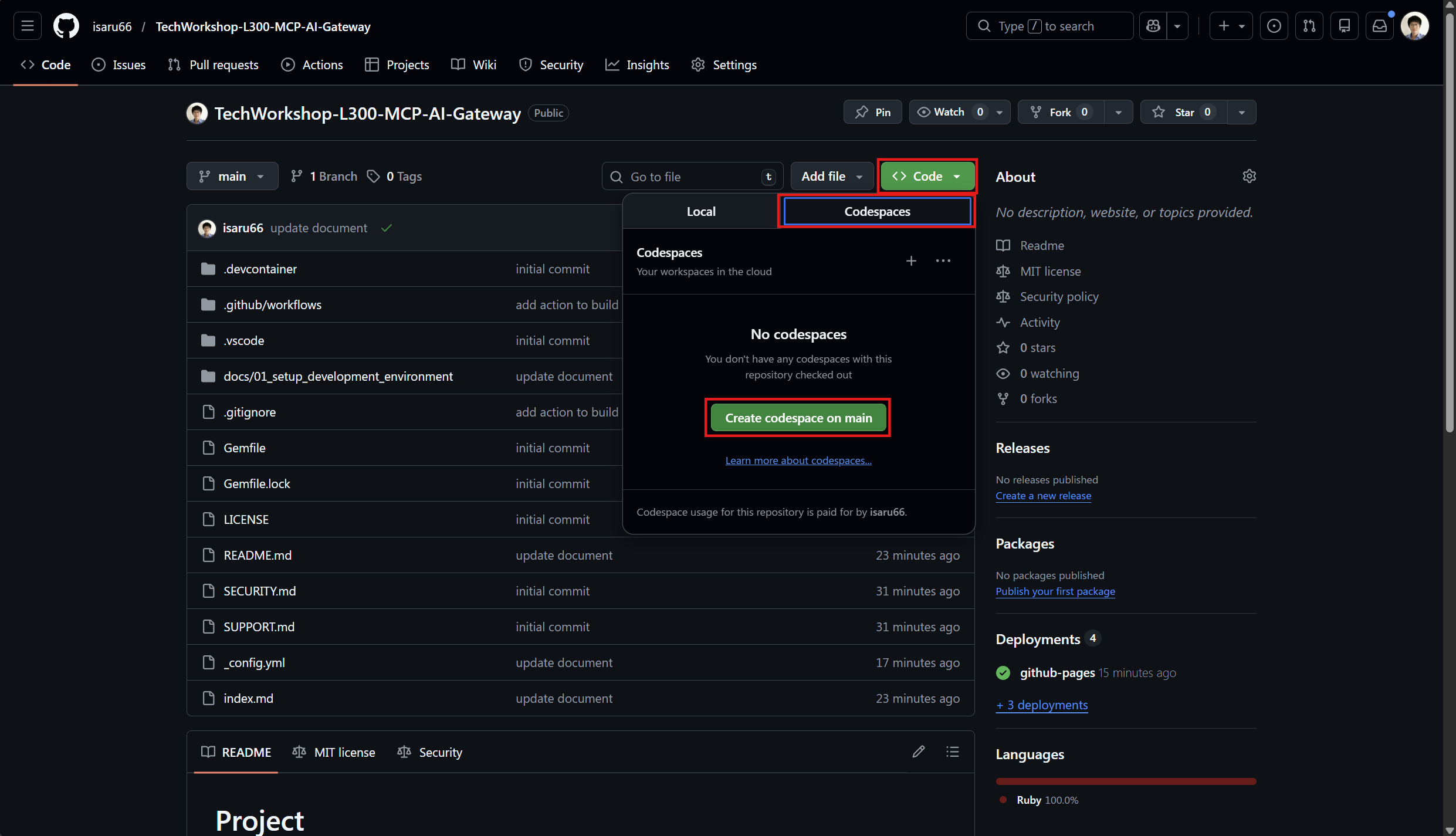
The Codespace is pre-configured with the following tools:
- Azure CLI
- Azure Developer CLI (azd)
- Azure Bicep
- Python
- Node.js
And the following VS Code extensions:
- AI Foundry
- Azure Storage
- Bicep
- Azure MCP Server
- Azure Resource Groups
- Python
You might be unable to perform some activities from a GitHub Codespace. Where possible, prefer working on your local machine for the full experience.